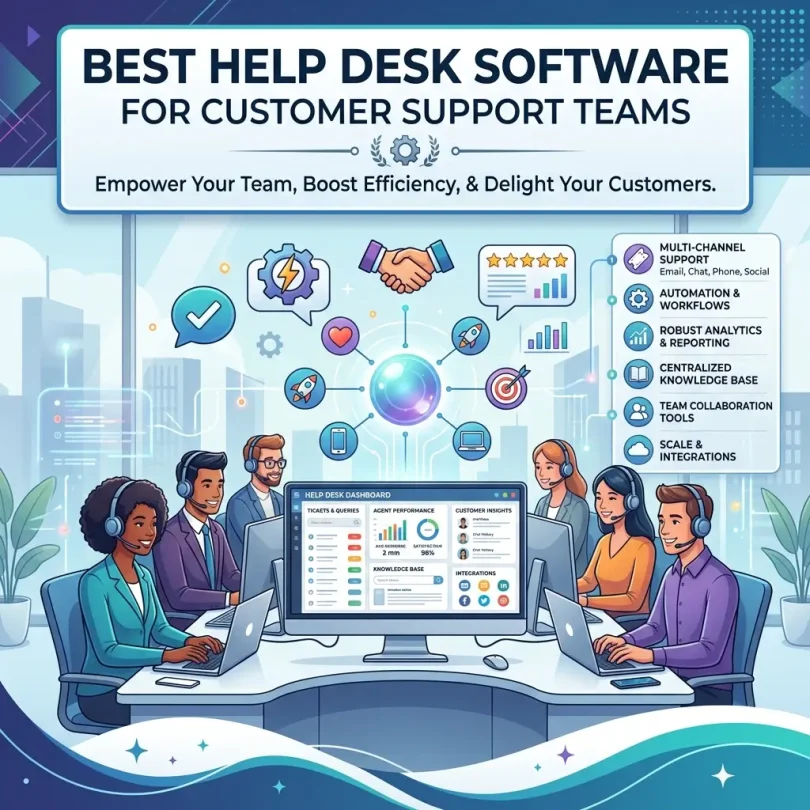

Help desk software solves this problem by bringing customer conversations into one organized system. It helps support teams create tickets, assign agents, track status, automate replies, manage service-level agreements, build a knowledge base, measure performance, and respond across multiple channels from one dashboard.
In 2026, the best help desk software is no longer just a ticket inbox. Modern customer support platforms include AI chatbots, agent assist, omnichannel messaging, workflow automation, customer history, SLA management, self-service portals, live chat, reporting dashboards, CRM integrations, ecommerce integrations, and customer satisfaction surveys.
This guide compares the best help desk software for customer support teams, explains the most important features, and helps you choose the right platform based on team size, support volume, channels, budget and business model.
Important note: This article is for general business software guidance. Help desk pricing, AI features, automation limits, user seats, chatbot usage, ticket volume, integrations, phone support, data retention and plan names can change. Always check the latest vendor pricing and product details before buying or upgrading.
Quick Answer: What Is the Best Help Desk Software?
The best help desk software depends on your support workflow. Zendesk is one of the strongest all-around options for scalable omnichannel support. Freshdesk is a good choice for small and mid-sized businesses that want ticketing, automation and AI features at a competitive price. Help Scout is excellent for teams that want simple, human-friendly email-based support. Intercom is strong for SaaS and online businesses that need live chat, in-app messaging and AI customer support. HubSpot Service Hub is useful for companies that want help desk tools connected with CRM, sales and marketing. Zoho Desk is a good value option for businesses already using Zoho apps. Jira Service Management is better for IT and technical support teams. Gorgias is strong for ecommerce support, especially Shopify stores.
For most small customer support teams, the best help desk software is the one that centralizes all customer messages, makes ticket ownership clear, automates repetitive work, provides reporting, and helps agents respond faster without losing the human touch.
Best Help Desk Software for Customer Support Teams: Comparison Table
| Help Desk Software | Best For | Main Strength | Good Fit For |
|---|---|---|---|
| Zendesk | Scalable customer support | Omnichannel ticketing, automation, AI, reporting and integrations | Growing support teams and larger businesses |
| Freshdesk | Small and mid-sized businesses | Affordable ticketing, automation, Freddy AI and omnichannel support | SMBs needing strong value and easy setup |
| Help Scout | Simple human support | Shared inbox, knowledge base and customer-friendly experience | Small teams, SaaS and service businesses |
| Intercom | Live chat and SaaS support | Messenger, AI chatbot, in-app support and customer engagement | SaaS, product-led and online businesses |
| HubSpot Service Hub | CRM-connected support | Tickets, CRM history, automation, knowledge base and reporting | Businesses already using HubSpot |
| Zoho Desk | Affordable business support | Ticketing, automation, multichannel support and Zoho integration | Budget-conscious teams and Zoho users |
| Jira Service Management | IT and technical service teams | ITSM, incident management, service requests and Atlassian integration | IT, DevOps and technical support teams |
| Gorgias | Ecommerce support | Shopify support, order data, macros and automation | Online stores and ecommerce brands |
| LiveAgent | Live support and ticketing | Tickets, live chat, call center and social support features | Teams needing many channels in one tool |
| Front | Collaborative inbox support | Shared inbox, team collaboration and customer communication | B2B teams, operations and account-based support |
| Kayako | Customer journey support | Unified conversations and customer context | Teams that need conversation history and simple support |
| Hiver | Gmail-based help desk | Shared inbox and ticketing inside Gmail | Google Workspace teams |
Why Customer Support Teams Need Help Desk Software
Many small businesses start with a simple email inbox. At first, this works. One or two people can answer customer messages manually. But as the business grows, support becomes harder to manage. Emails get missed. Two agents reply to the same customer. Refund requests are forgotten. Urgent issues are buried under low-priority questions. Managers cannot see response time, resolution time or customer satisfaction.
Help desk software creates structure. Every customer message becomes a ticket or conversation. The team can assign ownership, set priority, add internal notes, use saved replies, track status, escalate issues, and measure performance.
For customer support teams, the goal is not only to answer faster. The goal is to answer consistently, accurately and professionally.
Common Support Problems Help Desk Software Solves
- Missed customer emails
- Duplicate replies from multiple agents
- No clear ticket ownership
- Slow response times
- No support performance reports
- Scattered messages across many channels
- Repeated questions wasting agent time
- No customer history
- Difficult refund or escalation tracking
- Poor handoff between support, sales and technical teams
- No knowledge base for self-service
- No SLA tracking for business customers
What to Look for in Help Desk Software
1. Ticket Management
Ticket management is the foundation of help desk software. A good platform should turn customer requests into tickets, assign them to agents, set priorities, track status and keep conversation history in one place.
Common ticket statuses include new, open, pending, waiting on customer, escalated, solved and closed. Clear statuses help managers understand support workload and prevent requests from being forgotten.
2. Omnichannel Support
Customers may contact your business through email, live chat, website forms, social media, WhatsApp, phone, in-app messaging or help center pages. Omnichannel help desk software brings these channels into one dashboard so agents do not have to switch between multiple apps.
3. Automation
Automation helps support teams reduce repetitive work. A help desk can automatically assign tickets, send confirmation emails, tag requests, route urgent issues, trigger SLA alerts, suggest replies, close inactive tickets or escalate high-priority cases.
Automation is especially useful when ticket volume grows but the team size stays small.
4. AI Chatbots and Agent Assist
AI support features can answer common questions, summarize tickets, suggest replies, detect customer intent, route tickets, translate messages and help agents respond faster. AI should not replace human support completely, but it can reduce repetitive workload.
5. Knowledge Base
A knowledge base lets customers find answers without contacting support. It can include FAQs, troubleshooting guides, billing instructions, shipping policies, setup tutorials, account guides and product documentation.
A strong knowledge base reduces ticket volume and improves customer experience.
6. SLA Management
SLA means service-level agreement. It defines how quickly support teams should respond or resolve issues. Help desk software should track SLA deadlines and alert agents before tickets become overdue.
7. Internal Notes and Collaboration
Agents often need to discuss issues privately before replying to a customer. Internal notes, mentions and private comments help support teams collaborate without exposing internal discussion to customers.
8. Reporting and Analytics
Useful reports include first response time, average resolution time, ticket volume, open tickets, agent workload, customer satisfaction, busiest channels, common issue categories and SLA performance.
Without reporting, managers cannot improve support operations.
9. CRM and Ecommerce Integrations
Support teams need customer context. A help desk should integrate with CRM, ecommerce platforms, billing systems, product analytics, customer databases and communication tools.
For ecommerce, agents may need order history, shipping status and refund data. For SaaS, they may need subscription status, plan type, usage history and account owner details.
10. Ease of Use
A help desk should make agents faster, not slower. If the tool is too complex, support quality may drop. Choose software with a clean interface, fast search, helpful shortcuts, simple assignment, easy macros and clear customer history.
Best Help Desk Software for Customer Support Teams: Detailed Reviews
1. Zendesk
Best for: Scalable omnichannel customer support
Zendesk is one of the most recognized help desk and customer service platforms. It supports ticketing, messaging, live chat, knowledge base, AI features, automation, reporting, customer context and many integrations. It can serve small teams but is especially strong for growing businesses that need scalable support operations.
Zendesk works well for SaaS companies, ecommerce brands, marketplaces, financial services, education platforms, healthcare-related support teams, B2B companies and enterprises that need multiple support channels.
Its biggest strength is breadth. Zendesk can support many workflows, channels and team structures. The trade-off is that setup and pricing can become more complex as requirements grow.
Key Features
- Ticket management
- Omnichannel support
- Live chat and messaging
- Knowledge base
- AI and automation features
- SLA management
- Reporting and dashboards
- Large integration marketplace
- Customer context tools
Pros
- Very scalable
- Strong omnichannel support
- Good reporting and automation
- Large app ecosystem
- Suitable for serious support teams
Cons
- Can become expensive
- Setup may require planning
- Advanced features depend on plan
- May be more complex than small teams need
Best Use Case
Choose Zendesk if your business needs a scalable help desk with omnichannel support, automation, reporting, integrations and room to grow.
2. Freshdesk
Best for: Small and mid-sized businesses needing value and easy setup
Freshdesk is a popular help desk platform from Freshworks. It is known for ticketing, automation, multichannel support, knowledge base tools, team collaboration and AI features through Freddy AI. It is often attractive to small and mid-sized businesses because it balances functionality, ease of use and pricing.
Freshdesk can help support teams manage customer emails, chats, calls, social messages and self-service content depending on plan. It is a good fit for startups, small businesses, SaaS teams, ecommerce support, service companies and growing customer support departments.
Freshworks describes Freshdesk as a customer service platform that centralizes support across channels and uses AI-powered automation to help resolve tickets faster, while TechRadar’s 2026 help desk guide highlights Freshdesk for ticketing, AI and omnichannel capabilities.
Key Features
- Email ticketing
- Multichannel support
- Automation rules
- Freddy AI features depending on plan
- Knowledge base
- SLA management
- Team collaboration
- Reporting dashboards
- Freshworks ecosystem integrations
Pros
- Good value for SMBs
- Easy to set up compared with many enterprise tools
- Strong ticketing features
- Useful AI and automation options
- Works well with other Freshworks products
Cons
- Advanced features may require higher plans
- Enterprise customization may be less deep than some larger platforms
- Plan limits should be checked carefully
- Some teams may need extra products for full omnichannel coverage
Best Use Case
Choose Freshdesk if your support team wants affordable help desk software with ticketing, automation, AI assistance and multichannel support.
3. Help Scout
Best for: Simple, human-friendly customer support
Help Scout is a help desk platform built around simplicity and customer-friendly email support. It feels less like a heavy ticketing system and more like a shared inbox designed for professional support teams.
Help Scout is a good fit for small businesses, SaaS companies, service businesses, education companies, agencies and teams that want personal customer conversations without too much complexity.
It includes shared inboxes, customer profiles, workflows, saved replies, internal notes, collision detection, reporting, live chat-style Beacon and knowledge base features. Compared with Zendesk, Help Scout is usually easier to adopt, but it may not offer the same depth for large omnichannel operations.
Key Features
- Shared inbox
- Customer profiles
- Saved replies
- Internal notes
- Collision detection
- Workflows and automation
- Knowledge base
- Beacon support widget
- Reporting
Pros
- Very easy to use
- Good for human support experience
- Clean shared inbox design
- Strong knowledge base tools
- Good for smaller support teams
Cons
- Less powerful for large enterprise workflows
- Not as broad as Zendesk for complex omnichannel needs
- Advanced automation may be limited compared with bigger platforms
- May not fit call-center-heavy teams
Best Use Case
Choose Help Scout if your team wants simple, customer-friendly help desk software focused on email support, shared inboxes and knowledge base content.
4. Intercom
Best for: SaaS, live chat, in-app messaging and AI support
Intercom is a customer service and customer engagement platform known for live chat, in-app messaging, product support, customer communication and AI support automation. It is especially popular with SaaS companies, product-led businesses, online platforms and subscription services.
Intercom is strong when support happens inside a product or website. Customers can ask questions through a messenger, receive automated answers, browse help content and connect with human agents when needed.
Modern Intercom use cases often center around AI customer support, especially for answering common questions and reducing repetitive tickets. It can be powerful, but pricing and setup should be reviewed carefully.
Key Features
- Live chat and messenger
- In-app support
- AI chatbot and automation features
- Help center
- Customer segmentation
- Product tours and messages depending on plan
- Conversation routing
- Customer context
- Integrations with SaaS tools
Pros
- Excellent for SaaS and digital products
- Strong live chat and in-app experience
- Useful AI support automation
- Good customer engagement tools
- Modern customer messaging interface
Cons
- Can be expensive as usage grows
- Not always best for traditional email-only support
- Setup requires good help content and workflows
- Advanced features may require higher plans
Best Use Case
Choose Intercom if your business needs live chat, in-app support, AI customer service and product-led customer communication.
5. HubSpot Service Hub
Best for: CRM-connected customer support
HubSpot Service Hub is a strong option for businesses that already use HubSpot CRM, Marketing Hub or Sales Hub. It connects customer support with CRM history, sales activity, marketing data and customer records.
This is useful because support agents can see a customer’s full relationship with the business, not just the latest ticket. They may see deals, emails, forms, lifecycle stage, company information and previous conversations.
HubSpot Service Hub includes ticketing, shared inbox, knowledge base, live chat, automation, customer feedback tools and reporting depending on plan. TechRadar’s 2026 ITSM guide highlights HubSpot Service Hub for ease of use, CRM-integrated ticketing, automation and feedback collection.
Key Features
- Ticketing
- Shared inbox
- CRM-connected customer records
- Knowledge base
- Live chat
- Automation workflows
- Customer feedback surveys
- Reporting dashboards
- HubSpot ecosystem integration
Pros
- Excellent for HubSpot users
- Support data connects with CRM
- Good for sales-service alignment
- User-friendly interface
- Useful free and paid tool options
Cons
- Best value requires HubSpot ecosystem use
- Costs can rise with advanced features
- May not be as specialized as Zendesk for large support teams
- Automation depth depends on plan
Best Use Case
Choose HubSpot Service Hub if your business already uses HubSpot and wants support tickets connected with CRM, sales and marketing data.
6. Zoho Desk
Best for: Affordable help desk software for small businesses
Zoho Desk is a customer service platform from Zoho that provides ticketing, multichannel support, automation, knowledge base, reporting and integration with Zoho CRM and other Zoho apps. It is a strong value option for small businesses and teams already using Zoho products.
Zoho Desk can help teams manage support from email, phone, chat, social media and web forms depending on plan. It also includes automation and AI assistant features through Zia in some plans.
Gartner Peer Insights results for HubSpot Service Hub alternatives include user feedback describing Zoho Desk as a structured help desk platform that centralizes tickets from email, chat, social media and phone into one place.
Key Features
- Ticket management
- Multichannel support
- Automation workflows
- Knowledge base
- SLA management
- Reporting and analytics
- Zia AI features depending on plan
- Zoho CRM integration
- Customer portal
Pros
- Good value for small businesses
- Strong Zoho ecosystem integration
- Multichannel ticketing options
- Useful automation features
- Affordable compared with some competitors
Cons
- Interface may feel less polished than some premium tools
- Best value is stronger if you use Zoho apps
- Advanced features depend on plan
- Setup may require customization
Best Use Case
Choose Zoho Desk if your small business wants affordable help desk software with ticketing, automation and strong Zoho ecosystem integration.
7. Jira Service Management
Best for: IT support, DevOps and technical service teams
Jira Service Management is built for IT service management, technical support, DevOps collaboration, incident management, service requests, change management and internal support operations. It is part of the Atlassian ecosystem, which makes it especially useful for teams already using Jira Software, Confluence, Bitbucket or Atlassian tools.
Jira Service Management is a strong fit for IT departments, SaaS technical support teams, engineering operations, internal help desks and companies that need structured service workflows.
TechRadar’s 2026 ITSM guide highlights Jira Service Management for enterprises, ITIL alignment, agile teams, advanced automation, AI features and Atlassian integrations.
Key Features
- IT service request management
- Incident management
- Change management
- Problem management
- Service portal
- Knowledge base through Confluence integration
- Automation rules
- SLA tracking
- Atlassian ecosystem integration
Pros
- Excellent for IT and technical support
- Strong integration with Jira and Confluence
- Good incident and service management features
- Useful for DevOps collaboration
- Scales for larger technical teams
Cons
- Can feel complex for basic customer support
- Not ideal for simple ecommerce or email-only support
- Setup requires process planning
- Non-technical teams may prefer Freshdesk or Help Scout
Best Use Case
Choose Jira Service Management if your support team handles IT requests, technical incidents, DevOps workflows or internal service operations.
8. Gorgias
Best for: Ecommerce and Shopify customer support
Gorgias is a help desk platform designed for ecommerce brands. It is especially popular with Shopify stores because it brings order data, customer history, shipping details and support conversations into one dashboard.
Ecommerce support is different from general support. Customers ask about orders, delivery, returns, refunds, discounts, damaged products, payment issues and product recommendations. Gorgias helps agents answer faster by showing ecommerce context inside the support conversation.
Key Features
- Ecommerce help desk
- Shopify integration
- Order and customer data inside tickets
- Email, chat and social support options
- Macros and automation
- Revenue and support reporting
- Customer intent detection depending on plan
- Integrations with ecommerce apps
Pros
- Strong for Shopify and ecommerce brands
- Shows order data inside support conversations
- Useful automation for common ecommerce questions
- Good social and chat support features
- Helps support teams respond faster to order issues
Cons
- Less ideal for non-ecommerce businesses
- Pricing can depend on ticket volume and features
- Best value is strongest for Shopify-style workflows
- May not replace IT service management tools
Best Use Case
Choose Gorgias if you run an ecommerce store and need help desk software connected with orders, refunds, shipping, customer profiles and Shopify workflows.
9. LiveAgent
Best for: Teams needing live chat, tickets and call center features
LiveAgent is a help desk platform that combines ticketing, live chat, call center features, social media support, customer portal and reporting. It can be useful for businesses that want many support channels in one tool.
LiveAgent is often considered by small and mid-sized businesses that need live support but do not want to manage several separate platforms for chat, email and calls.
TechRadar’s 2026 help desk guide highlights LiveAgent for live support, combining tickets, live chat and call center features.
Key Features
- Ticketing system
- Live chat
- Call center features
- Social media support
- Customer portal
- Automation rules
- Reporting
- Knowledge base
Pros
- Strong live support features
- Combines multiple channels
- Useful for small support teams
- Call center tools available
- Good for teams wanting chat plus ticketing
Cons
- Interface may feel busy
- Advanced workflows may need setup time
- Not as enterprise-famous as Zendesk
- Plan features should be reviewed carefully
Best Use Case
Choose LiveAgent if your team needs help desk software with email tickets, live chat, social support and call center features in one platform.
10. Front
Best for: Collaborative customer communication
Front is a customer communication platform that looks and feels like a shared inbox but adds team collaboration, routing, analytics, internal comments, workflow rules and integrations. It is useful for B2B support, account management, operations teams, logistics, agencies and customer success teams.
Front is especially good when support is not only about tickets but also about relationship-based communication. Teams can collaborate on customer emails without forwarding threads or losing context.
Key Features
- Shared inbox
- Team collaboration
- Internal comments
- Customer communication history
- Workflow rules
- Analytics
- CRM integrations
- SLA and assignment features depending on plan
Pros
- Great for collaborative email support
- Good for B2B and account-based teams
- Feels familiar like email
- Useful internal comments and routing
- Strong for customer success workflows
Cons
- Not as traditional as ticket-heavy help desks
- May not fit high-volume transactional support
- Advanced support features depend on plan
- Can be costly for larger teams
Best Use Case
Choose Front if your team needs a collaborative inbox for customer support, operations, account management or B2B communication.
11. Kayako
Best for: Simple customer conversation history
Kayako is a help desk platform focused on customer conversations, support tickets and customer journey visibility. It can help teams manage customer emails, live chat and support requests while keeping conversation history organized.
Kayako can be useful for small and mid-sized teams that want a straightforward help desk without the full complexity of enterprise platforms.
Key Features
- Ticket management
- Customer conversation history
- Email and live chat support
- Customer self-service
- Team collaboration
- Basic automation
- Reporting
Pros
- Simple support workflow
- Good customer conversation context
- Useful for small and mid-sized teams
- Less complex than some enterprise tools
- Supports common support channels
Cons
- May not be as feature-rich as Zendesk or Freshdesk
- Smaller ecosystem than major competitors
- Advanced AI and automation may be limited
- Businesses should compare current product roadmap carefully
Best Use Case
Choose Kayako if your support team wants simple ticketing and customer conversation history without heavy enterprise complexity.
12. Hiver
Best for: Gmail-based customer support teams
Hiver turns Gmail into a help desk. It is useful for teams already using Google Workspace that want to manage shared inboxes such as support@, info@, billing@ or help@ without leaving Gmail.
Hiver adds assignment, status tracking, internal notes, collision alerts, analytics and automation to Gmail. This makes it attractive for small businesses that like Gmail but need more structure than a normal shared email inbox.
TechRadar’s 2026 help desk guide highlights Hiver as a top Gmail-based solution for teams using Google Workspace.
Key Features
- Gmail-based shared inbox
- Email assignment
- Ticket status tracking
- Internal notes
- Collision detection
- Analytics
- Automation
- Google Workspace integration
Pros
- Works inside Gmail
- Easy adoption for Google Workspace teams
- Good for small support teams
- Reduces need to learn a separate help desk
- Useful for shared inbox management
Cons
- Not ideal outside Google Workspace
- Less powerful than full omnichannel help desks
- May not fit complex support workflows
- Advanced channels may require other tools
Best Use Case
Choose Hiver if your team already uses Gmail and wants a simple help desk layer for shared inbox support.
Best Help Desk Software by Use Case
Best Help Desk Software for Small Businesses
Freshdesk, Help Scout, Zoho Desk, Hiver, LiveAgent and HubSpot Service Hub are strong options for small businesses. They offer practical ticketing, collaboration and automation without the complexity of large enterprise platforms.
Best Help Desk Software for SaaS Companies
Intercom, Zendesk, Help Scout, HubSpot Service Hub, Freshdesk and Jira Service Management are good options for SaaS support. SaaS teams should look for in-app messaging, customer history, AI support, knowledge base, bug escalation and product integrations.
Best Help Desk Software for Ecommerce
Gorgias is one of the strongest choices for ecommerce, especially Shopify stores. Zendesk, Freshdesk, LiveAgent and Intercom can also work for online stores depending on channels and support volume.
Best Help Desk Software for IT Teams
Jira Service Management, Freshservice, SolarWinds Service Desk, ServiceNow and Zendesk are better options for IT support and ITSM workflows. IT teams need incident management, service requests, asset tracking, change management and SLA reporting.
Best Help Desk Software for Gmail Users
Hiver is a strong option for Gmail-based teams. Help Scout and Front are also useful if your team likes inbox-style support but needs more structure.
Best Help Desk Software for Live Chat
Intercom, LiveAgent, Zendesk, Freshdesk and Tidio-style tools are strong for live chat. Choose based on whether you need simple chat, AI chatbot, in-app support or full ticketing.
Best Help Desk Software for CRM Integration
HubSpot Service Hub is best for HubSpot users. Zendesk and Freshdesk also integrate with many CRMs. Salesforce Service Cloud is worth considering for businesses already using Salesforce deeply.
Help Desk Software Pricing: What to Know
Help desk pricing can be confusing because vendors charge in different ways. Some charge per agent per month. Some charge by ticket volume, chatbot usage, AI resolutions, customer contacts, channels, phone minutes, automation features, reporting level or support plan.
Common Pricing Factors
- Number of agents
- Number of support channels
- Ticket volume
- Live chat features
- AI chatbot usage
- Automation limits
- Knowledge base features
- SLA management
- Advanced reporting
- Phone support or call center tools
- Customer satisfaction surveys
- CRM and ecommerce integrations
- API access
- Security and admin controls
- Monthly vs annual billing
A low-cost plan may be enough for email support, but advanced omnichannel support, AI chatbots, phone tools and deep reporting may require higher plans. Before buying, calculate the real cost for your number of agents and required channels.
Help Desk Implementation Checklist
Choosing software is only the first step. A help desk works best when the support process is clear.
- Define support channels
- Create ticket categories
- Set priority levels
- Assign ticket owners
- Create saved replies and macros
- Write knowledge base articles
- Set SLA rules
- Create escalation workflows
- Connect CRM or ecommerce data
- Train support agents
- Review reports weekly
- Collect customer satisfaction feedback
- Update help content regularly
Common Help Desk Mistakes to Avoid
Mistake 1: Choosing Software Before Defining the Support Process
If your support process is unclear, even the best software will become messy. Define ticket categories, ownership, escalation and response rules first.
Mistake 2: Ignoring Customer Self-Service
Many customers prefer finding answers quickly without waiting for an agent. A knowledge base can reduce repetitive tickets and improve customer satisfaction.
Mistake 3: Automating Bad Replies
Automation should help customers, not frustrate them. Avoid robotic replies that do not answer the real question.
Mistake 4: No SLA Tracking
Without SLA tracking, urgent customers may wait too long. Set clear response and resolution targets.
Mistake 5: Not Training Agents
Agents need training on tone, product knowledge, escalation rules, saved replies and tool usage. Software alone cannot create good support.
Mistake 6: Using Too Many Channels Without Enough Staff
Offering email, phone, chat, WhatsApp, social media and in-app support sounds good, but it can overwhelm small teams. Start with the channels you can manage well.
Mistake 7: Not Measuring Support Quality
Track response time, resolution time, reopened tickets, customer satisfaction and common issue categories. Data helps improve support operations.
How to Choose the Best Help Desk Software
Step 1: List Your Support Channels
Do customers contact you by email, chat, phone, social media, WhatsApp, website forms or in-app messages? Choose software that supports your real channels.
Step 2: Estimate Ticket Volume
A team handling 20 tickets per day has different needs than a team handling 2,000 tickets per day. Ticket volume affects automation, reporting, SLA and pricing needs.
Step 3: Match Tool to Business Type
Ecommerce stores may need Gorgias. SaaS companies may need Intercom or Zendesk. HubSpot users may prefer Service Hub. Google Workspace teams may prefer Hiver. IT teams may need Jira Service Management.
Step 4: Check Automation and AI Carefully
AI is useful, but only when it works with accurate help content and clear workflows. Test AI features before depending on them for customer support.
Step 5: Review Integrations
Your help desk should connect with CRM, ecommerce platform, billing system, product database, chat app, analytics tool and knowledge base.
Step 6: Test the Agent Experience
Agents will use the tool every day. Test ticket search, reply speed, macros, internal notes, assignment, notifications and customer history.
Step 7: Calculate Long-Term Cost
Include agent seats, AI usage, phone tools, automation, reporting, integrations and support channels. Avoid choosing only by starting price.
Final Recommendation
The best help desk software for customer support teams depends on your business model and support workflow. Zendesk is best for scalable omnichannel support. Freshdesk is a strong value choice for small and mid-sized businesses. Help Scout is best for simple, human-friendly support. Intercom is excellent for SaaS, live chat, in-app messaging and AI support. HubSpot Service Hub is ideal for companies already using HubSpot CRM. Zoho Desk is a practical affordable option, especially for Zoho users. Jira Service Management is best for IT and technical teams. Gorgias is best for ecommerce stores. LiveAgent is useful for teams needing live chat, tickets and call center features. Front is strong for collaborative customer communication, while Hiver is excellent for Gmail-based support teams.
For small support teams, start with a platform that handles email tickets, shared inboxes, saved replies, internal notes, basic automation, knowledge base and reporting. As ticket volume grows, add live chat, AI support, SLA tracking, advanced analytics and omnichannel workflows.
Good customer support is not only about software. It depends on clear processes, trained agents, helpful documentation, fast response times and a customer-first mindset. The right help desk platform gives your team the structure to deliver that experience consistently.
FAQs About Help Desk Software
What is the best help desk software for customer support teams?
Zendesk, Freshdesk, Help Scout, Intercom, HubSpot Service Hub, Zoho Desk, Jira Service Management, Gorgias, LiveAgent, Front and Hiver are strong options. The best choice depends on your team size, channels, budget and business type.
What is help desk software?
Help desk software is a platform that helps businesses manage customer support requests. It usually includes ticketing, assignment, status tracking, automation, reporting, knowledge base and customer communication tools.
Is Freshdesk good for small businesses?
Yes. Freshdesk is a good option for small and mid-sized businesses because it offers ticketing, automation, multichannel support, AI features and practical pricing options.
Is Zendesk better than Freshdesk?
Zendesk is usually better for larger teams, complex omnichannel support and scalable workflows. Freshdesk may be better for small and mid-sized businesses that want strong value and easier setup.
Is Intercom a help desk?
Yes. Intercom can work as a help desk and customer support platform, especially for live chat, in-app messaging, AI support and SaaS customer engagement.
What is the best help desk software for ecommerce?
Gorgias is one of the strongest ecommerce help desk options, especially for Shopify stores. Zendesk, Freshdesk, Intercom and LiveAgent can also support ecommerce teams.
What is the best help desk software for IT support?
Jira Service Management, Freshservice, SolarWinds Service Desk, ServiceNow and Zendesk are strong IT support options. IT teams should look for incident management, request management, change management and SLA tracking.
Do small businesses need help desk software?
Yes, if they receive regular customer questions or support requests. Help desk software prevents missed messages, organizes tickets and improves response quality.
What features matter most in help desk software?
The most important features are ticket management, shared inbox, automation, internal notes, knowledge base, reporting, SLA management, customer history and integrations.
Can AI help customer support teams?
Yes. AI can summarize tickets, suggest replies, answer common questions, route requests and reduce repetitive work. Human review is still important for complex, sensitive or emotional customer issues.